使git status不显示某些文件
有的时候,一些文件已经在git仓库中,在本地测试时又进行了一些修改,此时在查看仓库状态时,不想显示这些文件。
注意,我这里设置了快捷命令:
比如,我现在使用gs查看到仓库状态如下:
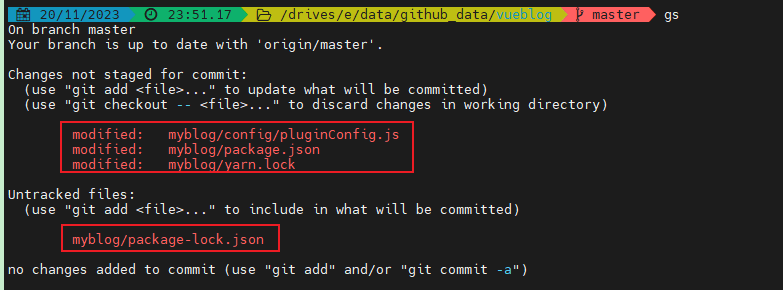
显示如下:
 1
 2
 3
 4
 5
 6
 7
 8
 9
10
11
12
13
14
15
16
17
18
| gs
On branch master
Your branch is up to date with 'origin/master'.
Changes not staged for commit:
(use "git add <file>..." to update what will be committed)
(use "git checkout -- <file>..." to discard changes in working directory)
modified: myblog/config/pluginConfig.js
modified: myblog/package.json
modified: myblog/yarn.lock
Untracked files:
(use "git add <file>..." to include in what will be committed)
myblog/package-lock.json
no changes added to commit (use "git add" and/or "git commit -a")
|
我不想要以下几行显示出来:
1
2
3
| modified: myblog/config/pluginConfig.js
modified: myblog/package.json
modified: myblog/yarn.lock
|
这些文件是我本地搭建环境时产生的修改,我不想写入到仓库中去,每次显示在状态中,看着很不舒服。
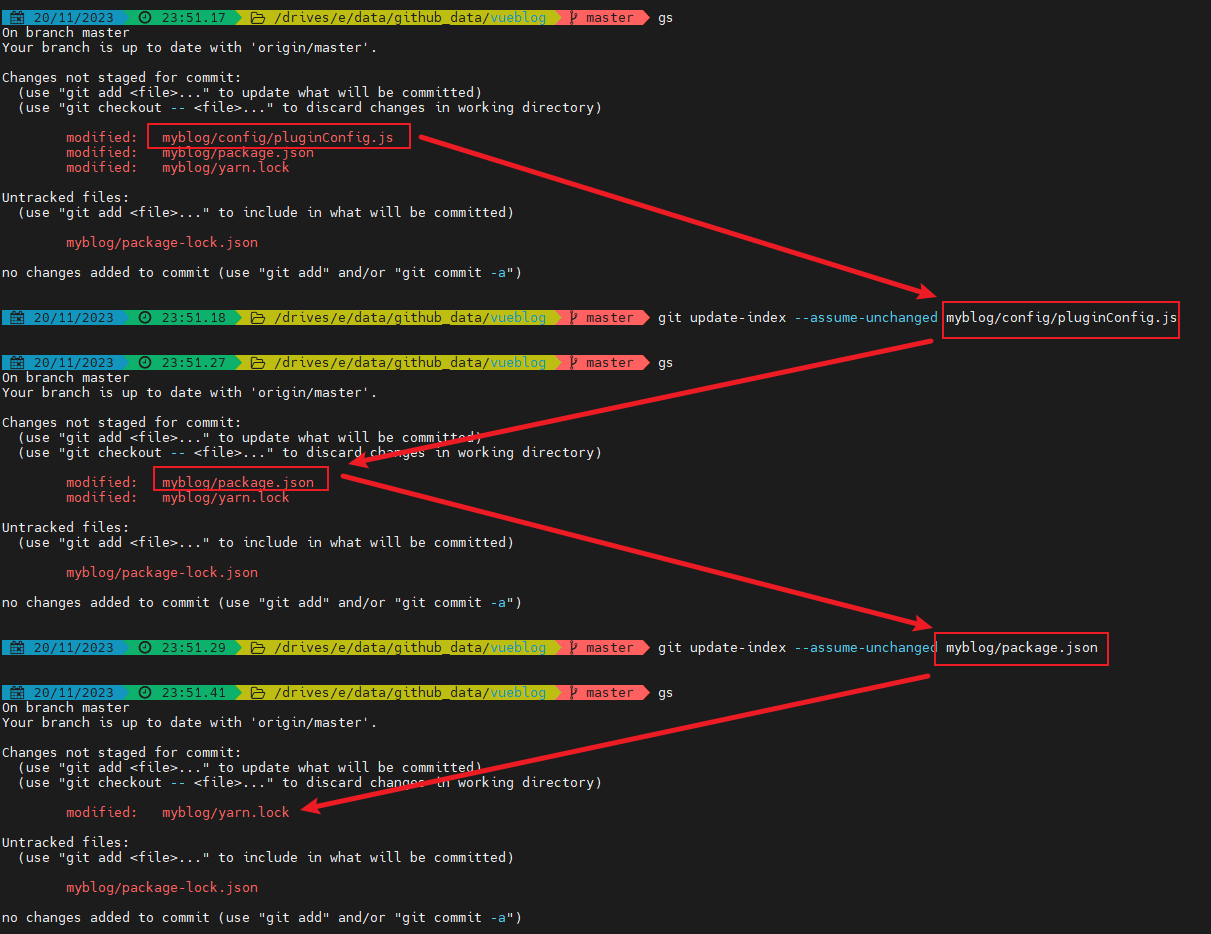
首先忽略掉myblog/config/pluginConfig.js,执行以下命令:
1
| git update-index --assume-unchanged myblog/config/pluginConfig.js
|
执行完成后,再次查看状态:
 1
 2
 3
 4
 5
 6
 7
 8
 9
10
11
12
13
14
15
16
17
| gs
On branch master
Your branch is up to date with 'origin/master'.
Changes not staged for commit:
(use "git add <file>..." to update what will be committed)
(use "git checkout -- <file>..." to discard changes in working directory)
modified: myblog/package.json
modified: myblog/yarn.lock
Untracked files:
(use "git add <file>..." to include in what will be committed)
myblog/package-lock.json
no changes added to commit (use "git add" and/or "git commit -a")
|
可以看到,myblog/config/pluginConfig.js真的被忽略了。
再执行以下命令:
1
| git update-index --assume-unchanged myblog/package.json
|
可以看到myblog/package.json也被忽略了。