1
 2
 3
 4
 5
 6
 7
 8
 9
10
11
12
13
14
15
16
17
18
19
20
21
22
23
24
25
26
27
28
29
30
31
32
33
34
35
36
37
38
39
40
41
42
43
44
45
46
47
48
49
50
51
52
53
54
55
56
57
58
59
60
61
62
63
64
65
66
67
68
69
70
71
72
73
74
75
76
77
78
79
80
81
82
83
84
85
86
87
88
89
90
91
92
93
94
95
96
97
98
99
100
101
102
103
104
105
106
107
108
109
110
111
112
113
114
115
116
117
118
119
120
121
122
123
124
125
126
127
128
129
130
131
132
133
134
135
136
137
138
139
140
141
142
143
144
145
146
147
148
149
150
151
152
153
154
155
156
157
158
159
160
161
162
163
164
165
166
167
168
169
170
171
172
173
174
175
176
177
178
179
180
181
182
183
184
185
186
187
188
189
190
191
192
193
194
195
196
197
198
199
200
201
202
203
204
205
206
207
208
209
210
211
212
213
214
215
216
217
218
219
220
221
222
223
224
225
226
227
228
229
230
231
232
233
234
235
236
237
238
239
240
241
242
243
244
245
246
247
248
249
250
251
252
253
254
255
256
257
258
259
260
261
262
263
264
265
266
267
268
269
270
271
272
273
274
275
276
277
278
279
280
281
282
283
284
285
286
287
288
289
290
291
292
293
294
295
296
297
298
299
300
301
302
303
304
305
306
307
308
309
310
311
312
313
314
315
316
317
318
319
320
321
322
323
324
325
326
327
328
329
330
331
332
333
334
335
336
337
338
339
340
341
342
343
344
345
346
347
348
349
350
351
352
353
354
355
356
357
| $ git help hooks|awk NF
GITHOOKS(5) Git Manual GITHOOKS(5)
NAME
githooks - Hooks used by Git
SYNOPSIS
$GIT_DIR/hooks/* (or `git config core.hooksPath`/*)
DESCRIPTION
Hooks are programs you can place in a hooks directory to trigger actions
at certain points in git’s execution. Hooks that don’t have the
executable bit set are ignored.
By default the hooks directory is $GIT_DIR/hooks, but that can be changed
via the core.hooksPath configuration variable (see git-config(1)).
Before Git invokes a hook, it changes its working directory to either
$GIT_DIR in a bare repository or the root of the working tree in a
non-bare repository. An exception are hooks triggered during a push
(pre-receive, update, post-receive, post-update, push-to-checkout) which
are always executed in $GIT_DIR.
Hooks can get their arguments via the environment, command-line
arguments, and stdin. See the documentation for each hook below for
details.
git init may copy hooks to the new repository, depending on its
configuration. See the "TEMPLATE DIRECTORY" section in git-init(1) for
details. When the rest of this document refers to "default hooks" it’s
talking about the default template shipped with Git.
The currently supported hooks are described below.
HOOKS
applypatch-msg
This hook is invoked by git-am(1). It takes a single parameter, the name
of the file that holds the proposed commit log message. Exiting with a
non-zero status causes git am to abort before applying the patch.
The hook is allowed to edit the message file in place, and can be used to
normalize the message into some project standard format. It can also be
used to refuse the commit after inspecting the message file.
The default applypatch-msg hook, when enabled, runs the commit-msg hook,
if the latter is enabled.
pre-applypatch
This hook is invoked by git-am(1). It takes no parameter, and is invoked
after the patch is applied, but before a commit is made.
If it exits with non-zero status, then the working tree will not be
committed after applying the patch.
It can be used to inspect the current working tree and refuse to make a
commit if it does not pass certain test.
The default pre-applypatch hook, when enabled, runs the pre-commit hook,
if the latter is enabled.
post-applypatch
This hook is invoked by git-am(1). It takes no parameter, and is invoked
after the patch is applied and a commit is made.
This hook is meant primarily for notification, and cannot affect the
outcome of git am.
pre-commit
This hook is invoked by git-commit(1), and can be bypassed with the
--no-verify option. It takes no parameters, and is invoked before
obtaining the proposed commit log message and making a commit. Exiting
with a non-zero status from this script causes the git commit command to
abort before creating a commit.
The default pre-commit hook, when enabled, catches introduction of lines
with trailing whitespaces and aborts the commit when such a line is
found.
All the git commit hooks are invoked with the environment variable
GIT_EDITOR=: if the command will not bring up an editor to modify the
commit message.
The default pre-commit hook, when enabled—and with the
hooks.allownonascii config option unset or set to false—prevents the use
of non-ASCII filenames.
pre-merge-commit
This hook is invoked by git-merge(1), and can be bypassed with the
--no-verify option. It takes no parameters, and is invoked after the
merge has been carried out successfully and before obtaining the proposed
commit log message to make a commit. Exiting with a non-zero status from
this script causes the git merge command to abort before creating a
commit.
The default pre-merge-commit hook, when enabled, runs the pre-commit
hook, if the latter is enabled.
This hook is invoked with the environment variable GIT_EDITOR=: if the
command will not bring up an editor to modify the commit message.
If the merge cannot be carried out automatically, the conflicts need to
be resolved and the result committed separately (see git-merge(1)). At
that point, this hook will not be executed, but the pre-commit hook will,
if it is enabled.
prepare-commit-msg
This hook is invoked by git-commit(1) right after preparing the default
log message, and before the editor is started.
It takes one to three parameters. The first is the name of the file that
contains the commit log message. The second is the source of the commit
message, and can be: message (if a -m or -F option was given); template
(if a -t option was given or the configuration option commit.template is
set); merge (if the commit is a merge or a .git/MERGE_MSG file exists);
squash (if a .git/SQUASH_MSG file exists); or commit, followed by a
commit SHA-1 (if a -c, -C or --amend option was given).
If the exit status is non-zero, git commit will abort.
The purpose of the hook is to edit the message file in place, and it is
not suppressed by the --no-verify option. A non-zero exit means a failure
of the hook and aborts the commit. It should not be used as replacement
for pre-commit hook.
The sample prepare-commit-msg hook that comes with Git removes the help
message found in the commented portion of the commit template.
commit-msg
This hook is invoked by git-commit(1) and git-merge(1), and can be
bypassed with the --no-verify option. It takes a single parameter, the
name of the file that holds the proposed commit log message. Exiting with
a non-zero status causes the command to abort.
The hook is allowed to edit the message file in place, and can be used to
normalize the message into some project standard format. It can also be
used to refuse the commit after inspecting the message file.
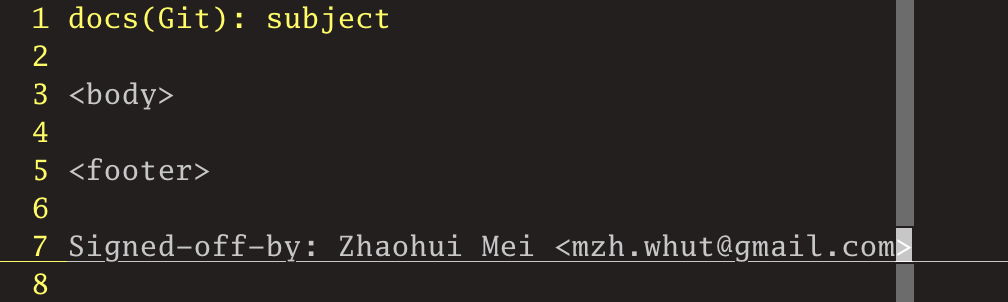
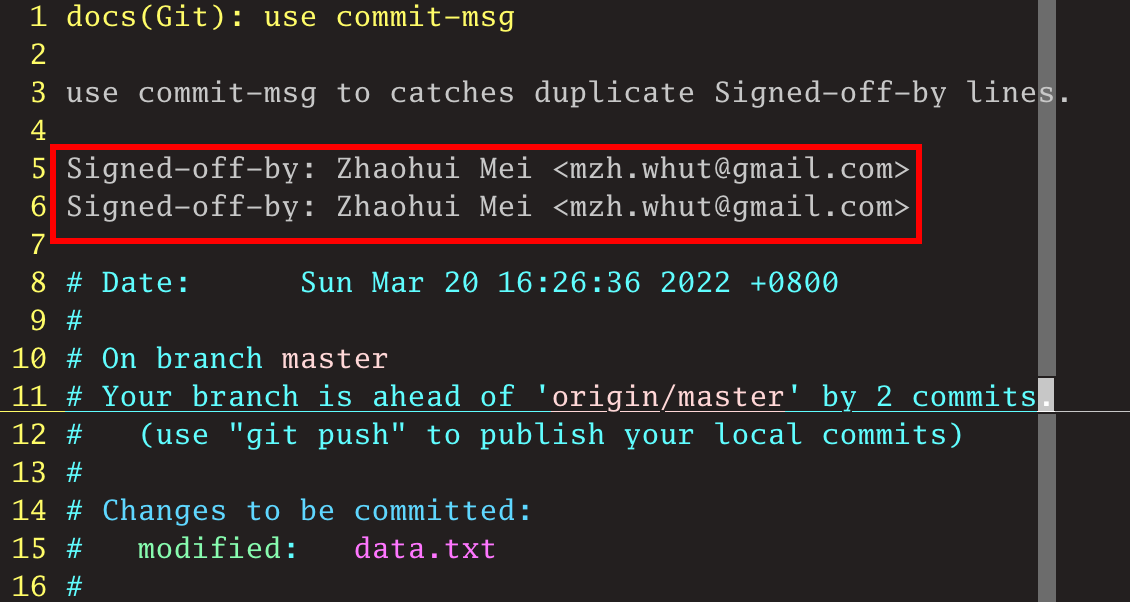
The default commit-msg hook, when enabled, detects duplicate
"Signed-off-by" lines, and aborts the commit if one is found.
post-commit
       This hook is invoked by git-commit(1). It takes no parameters, and is invoked after a commit is made.

       This hook is meant primarily for notification, and cannot affect the outcome of git commit.
pre-rebase
This hook is called by git-rebase(1) and can be used to prevent a branch
from getting rebased. The hook may be called with one or two parameters.
The first parameter is the upstream from which the series was forked. The
second parameter is the branch being rebased, and is not set when
rebasing the current branch.
post-checkout
This hook is invoked when a git-checkout(1) or git-switch(1) is run after
having updated the worktree. The hook is given three parameters: the ref
of the previous HEAD, the ref of the new HEAD (which may or may not have
changed), and a flag indicating whether the checkout was a branch
checkout (changing branches, flag=1) or a file checkout (retrieving a
file from the index, flag=0). This hook cannot affect the outcome of git
switch or git checkout.
It is also run after git-clone(1), unless the --no-checkout (-n) option
is used. The first parameter given to the hook is the null-ref, the
second the ref of the new HEAD and the flag is always 1. Likewise for git
worktree add unless --no-checkout is used.
This hook can be used to perform repository validity checks, auto-display
differences from the previous HEAD if different, or set working dir
metadata properties.
post-merge
This hook is invoked by git-merge(1), which happens when a git pull is
done on a local repository. The hook takes a single parameter, a status
flag specifying whether or not the merge being done was a squash merge.
This hook cannot affect the outcome of git merge and is not executed, if
the merge failed due to conflicts.
This hook can be used in conjunction with a corresponding pre-commit hook
to save and restore any form of metadata associated with the working tree
(e.g.: permissions/ownership, ACLS, etc). See
contrib/hooks/setgitperms.perl for an example of how to do this.
pre-push
This hook is called by git-push(1) and can be used to prevent a push from
taking place. The hook is called with two parameters which provide the
name and location of the destination remote, if a named remote is not
being used both values will be the same.
Information about what is to be pushed is provided on the hook’s standard
input with lines of the form:
<local ref> SP <local sha1> SP <remote ref> SP <remote sha1> LF
For instance, if the command git push origin master:foreign were run the
hook would receive a line like the following:
refs/heads/master 67890 refs/heads/foreign 12345
although the full, 40-character SHA-1s would be supplied. If the foreign
ref does not yet exist the <remote SHA-1> will be 40 0. If a ref is to be
deleted, the <local ref> will be supplied as (delete) and the <local
SHA-1> will be 40 0. If the local commit was specified by something other
than a name which could be expanded (such as HEAD~, or a SHA-1) it will
be supplied as it was originally given.
If this hook exits with a non-zero status, git push will abort without
pushing anything. Information about why the push is rejected may be sent
to the user by writing to standard error.
pre-receive
This hook is invoked by git-receive-pack(1) when it reacts to git push
and updates reference(s) in its repository. Just before starting to
update refs on the remote repository, the pre-receive hook is invoked.
Its exit status determines the success or failure of the update.
This hook executes once for the receive operation. It takes no arguments,
but for each ref to be updated it receives on standard input a line of
the format:
<old-value> SP <new-value> SP <ref-name> LF
where <old-value> is the old object name stored in the ref, <new-value>
is the new object name to be stored in the ref and <ref-name> is the full
name of the ref. When creating a new ref, <old-value> is 40 0.
If the hook exits with non-zero status, none of the refs will be updated.
If the hook exits with zero, updating of individual refs can still be
prevented by the update hook.
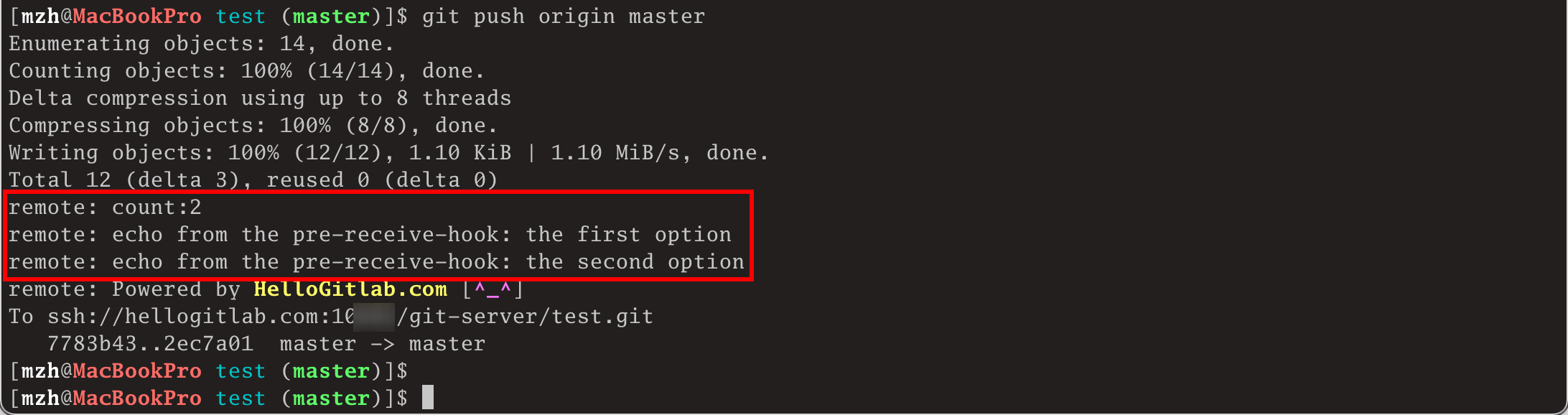
Both standard output and standard error output are forwarded to git
send-pack on the other end, so you can simply echo messages for the user.
The number of push options given on the command line of git push
--push-option=... can be read from the environment variable
GIT_PUSH_OPTION_COUNT, and the options themselves are found in
GIT_PUSH_OPTION_0, GIT_PUSH_OPTION_1,... If it is negotiated to not use
the push options phase, the environment variables will not be set. If the
client selects to use push options, but doesn’t transmit any, the count
variable will be set to zero, GIT_PUSH_OPTION_COUNT=0.
See the section on "Quarantine Environment" in git-receive-pack(1) for
some caveats.
update
This hook is invoked by git-receive-pack(1) when it reacts to git push
and updates reference(s) in its repository. Just before updating the ref
on the remote repository, the update hook is invoked. Its exit status
determines the success or failure of the ref update.
The hook executes once for each ref to be updated, and takes three
parameters:
• the name of the ref being updated,
• the old object name stored in the ref,
• and the new object name to be stored in the ref.
A zero exit from the update hook allows the ref to be updated. Exiting
with a non-zero status prevents git receive-pack from updating that ref.
This hook can be used to prevent forced update on certain refs by making
sure that the object name is a commit object that is a descendant of the
commit object named by the old object name. That is, to enforce a
"fast-forward only" policy.
It could also be used to log the old..new status. However, it does not
know the entire set of branches, so it would end up firing one e-mail per
ref when used naively, though. The post-receive hook is more suited to
that.
In an environment that restricts the users' access only to git commands
over the wire, this hook can be used to implement access control without
relying on filesystem ownership and group membership. See git-shell(1)
for how you might use the login shell to restrict the user’s access to
only git commands.
Both standard output and standard error output are forwarded to git
send-pack on the other end, so you can simply echo messages for the user.
The default update hook, when enabled—and with hooks.allowunannotated
config option unset or set to false—prevents unannotated tags to be
pushed.
post-receive
This hook is invoked by git-receive-pack(1) when it reacts to git push
and updates reference(s) in its repository. It executes on the remote
repository once after all the refs have been updated.
This hook executes once for the receive operation. It takes no arguments,
but gets the same information as the pre-receive hook does on its
standard input.
This hook does not affect the outcome of git receive-pack, as it is
called after the real work is done.
This supersedes the post-update hook in that it gets both old and new
values of all the refs in addition to their names.
Both standard output and standard error output are forwarded to git
send-pack on the other end, so you can simply echo messages for the user.
The default post-receive hook is empty, but there is a sample script
post-receive-email provided in the contrib/hooks directory in Git
distribution, which implements sending commit emails.
The number of push options given on the command line of git push
--push-option=... can be read from the environment variable
GIT_PUSH_OPTION_COUNT, and the options themselves are found in
GIT_PUSH_OPTION_0, GIT_PUSH_OPTION_1,... If it is negotiated to not use
the push options phase, the environment variables will not be set. If the
client selects to use push options, but doesn’t transmit any, the count
variable will be set to zero, GIT_PUSH_OPTION_COUNT=0.
post-update
This hook is invoked by git-receive-pack(1) when it reacts to git push
and updates reference(s) in its repository. It executes on the remote
repository once after all the refs have been updated.
It takes a variable number of parameters, each of which is the name of
ref that was actually updated.
This hook is meant primarily for notification, and cannot affect the
outcome of git receive-pack.
The post-update hook can tell what are the heads that were pushed, but it
does not know what their original and updated values are, so it is a poor
place to do log old..new. The post-receive hook does get both original
and updated values of the refs. You might consider it instead if you need
them.
When enabled, the default post-update hook runs git update-server-info to
keep the information used by dumb transports (e.g., HTTP) up to date. If
you are publishing a Git repository that is accessible via HTTP, you
should probably enable this hook.
Both standard output and standard error output are forwarded to git
send-pack on the other end, so you can simply echo messages for the user.
push-to-checkout
This hook is invoked by git-receive-pack(1) when it reacts to git push
and updates reference(s) in its repository, and when the push tries to
update the branch that is currently checked out and the
receive.denyCurrentBranch configuration variable is set to updateInstead.
Such a push by default is refused if the working tree and the index of
the remote repository has any difference from the currently checked out
commit; when both the working tree and the index match the current
commit, they are updated to match the newly pushed tip of the branch.
This hook is to be used to override the default behaviour.
The hook receives the commit with which the tip of the current branch is
going to be updated. It can exit with a non-zero status to refuse the
push (when it does so, it must not modify the index or the working tree).
Or it can make any necessary changes to the working tree and to the index
to bring them to the desired state when the tip of the current branch is
updated to the new commit, and exit with a zero status.
For example, the hook can simply run git read-tree -u -m HEAD "$1" in
order to emulate git fetch that is run in the reverse direction with git
push, as the two-tree form of git read-tree -u -m is essentially the same
as git switch or git checkout that switches branches while keeping the
local changes in the working tree that do not interfere with the
difference between the branches.
pre-auto-gc
This hook is invoked by git gc --auto (see git-gc(1)). It takes no
parameter, and exiting with non-zero status from this script causes the
git gc --auto to abort.
post-rewrite
This hook is invoked by commands that rewrite commits (git-commit(1) when
called with --amend and git-rebase(1); however, full-history (re)writing
tools like git-fast-import(1) or git-filter-repo[1] typically do not call
it!). Its first argument denotes the command it was invoked by: currently
one of amend or rebase. Further command-dependent arguments may be passed
in the future.
The hook receives a list of the rewritten commits on stdin, in the format
<old-sha1> SP <new-sha1> [ SP <extra-info> ] LF
The extra-info is again command-dependent. If it is empty, the preceding
SP is also omitted. Currently, no commands pass any extra-info.
The hook always runs after the automatic note copying (see
"notes.rewrite.<command>" in git-config(1)) has happened, and thus has
access to these notes.
The following command-specific comments apply:
rebase
For the squash and fixup operation, all commits that were squashed
are listed as being rewritten to the squashed commit. This means that
there will be several lines sharing the same new-sha1.
The commits are guaranteed to be listed in the order that they were
processed by rebase.
sendemail-validate
This hook is invoked by git-send-email(1). It takes a single parameter,
the name of the file that holds the e-mail to be sent. Exiting with a
non-zero status causes git send-email to abort before sending any
e-mails.
fsmonitor-watchman
This hook is invoked when the configuration option core.fsmonitor is set
to .git/hooks/fsmonitor-watchman. It takes two arguments, a version
(currently 1) and the time in elapsed nanoseconds since midnight, January
1, 1970.
The hook should output to stdout the list of all files in the working
directory that may have changed since the requested time. The logic
should be inclusive so that it does not miss any potential changes. The
paths should be relative to the root of the working directory and be
separated by a single NUL.
It is OK to include files which have not actually changed. All changes
including newly-created and deleted files should be included. When files
are renamed, both the old and the new name should be included.
Git will limit what files it checks for changes as well as which
directories are checked for untracked files based on the path names
given.
An optimized way to tell git "all files have changed" is to return the
filename /.
The exit status determines whether git will use the data from the hook to
limit its search. On error, it will fall back to verifying all files and
folders.
p4-pre-submit
This hook is invoked by git-p4 submit. It takes no parameters and nothing
from standard input. Exiting with non-zero status from this script
prevent git-p4 submit from launching. Run git-p4 submit --help for
details.
post-index-change
This hook is invoked when the index is written in read-cache.c
do_write_locked_index.
The first parameter passed to the hook is the indicator for the working
directory being updated. "1" meaning working directory was updated or "0"
when the working directory was not updated.
The second parameter passed to the hook is the indicator for whether or
not the index was updated and the skip-worktree bit could have changed.
"1" meaning skip-worktree bits could have been updated and "0" meaning
they were not.
Only one parameter should be set to "1" when the hook runs. The hook
running passing "1", "1" should not be possible.
GIT
Part of the git(1) suite
NOTES
1. git-filter-repo
https://github.com/newren/git-filter-repo
Git 2.24.0 11/04/2019 GITHOOKS(5)
$
|